


To check your website’s ranking on Google, you have 4 main options:
- for free with Google Search Console (the most reliable for all the keywords that bring you traffic),
- manual searches in incognito mode for specific keywords,
- premium tools such as Ahrefs, SEMrush, Mangools for detailed tracking + competitors, and
- AI search trackers (AIclicks, Otterly.ai) to see whether ChatGPT/Perplexity/Gemini mention you.
Important: Google rankings are not fixed. They vary by location (geo-targeting), device (mobile vs desktop), the user’s search history (personalisation) and time of day. According to a Moz study, the same search can return different results in 64% of cases depending on these factors. On top of that, 42% of searches show AI Overviews from Google AI or ChatGPT, which means that being in “first place” is no longer enough: you also need to be a cited source in AI answers.
In this detailed guide you will learn how to check your ranking properly (manually + with tools), how to set up Google Search Console in 5 steps, a comparison of 8 rank tracking tools, why rankings change, how to improve them, and how to track mentions in AI engines.
First of all, to see your site’s position on Google with a free tool, we made a video that explains it in detail. You can watch it below
How to Check Your Website’s Ranking on Google
15M
Set up Google Search Console
Verification
Confirm ownership through DNS, an HTML file or Google Analytics
Submit your sitemap
Add your XML sitemap URL in the Sitemaps section
Check the Performance report
After 7-14 days, check queries, clicks, impressions, CTR and average position
Manual check in incognito
Confirm with a manual search in incognito mode (a clean session)
The 8 Best Tools to Check Your Website’s Ranking
| Tool | Cost | Best for | Accuracy |
|---|---|---|---|
| Google Search Console | Free | All the keywords that bring you traffic, average position | ★★★★★ (official Google data) |
| Manual Search (Incognito) | Free | Spot-checking specific keywords in real time | ★★★ (affected by location) |
| Ubersuggest | Free / €29/month | Beginners, basic tracking | ★★★ |
| Mangools (SERPWatcher) | €37/month | Small and medium-sized businesses, all-in-one SEO | ★★★★ |
| Semrush | €119/month+ | Agencies, competitor analysis, comprehensive SEO | ★★★★★ |
| Ahrefs | €108/month+ | Backlink + ranking analysis, keyword research | ★★★★★ |
| AccuRanker | €129/month+ | Daily rank tracking, high accuracy | ★★★★★ |
| SerpRobot | €9/month+ | Affordable rank tracking, small projects | ★★★ |
WebMate recommends: For 9 out of 10 businesses, Google Search Console (free) + Mangools (€29/month) gives you 90% of the value at a fraction of the cost of the premium tools. For agencies and competitive industries, Ahrefs or Semrush is essential.
How to Set Up Google Search Console in 5 Steps
Google Search Console (GSC) is the #1 free tool for checking your ranking. It shows you official Google data for every keyword, every page and every click. Setup takes 10 minutes:
- Create an account at search.google.com/search-console with your Google Account.
- Add a property: Choose “Domain” (recommended, as it covers all subdomains and protocols) or “URL prefix”.
- Verification: Confirm ownership through a DNS record (Domain) or an HTML file/meta tag/Google Analytics (URL prefix).
- Submit your XML sitemap: In the “Sitemaps” menu, add your
sitemap.xmlURL (e.g.yoursite.gr/sitemap.xml, which is generated automatically by Rank Math, Yoast or the Google XML Sitemaps plugin). - Wait 7-14 days for data to build up, then open the “Performance report” to see queries, clicks, impressions, CTR and average position.
What the Performance Report Shows
- Queries: All the keywords your website appears for on Google
- Clicks: How many people clicked your result
- Impressions: How many times your page appeared in the results
- CTR (Click-Through Rate): Clicks / Impressions × 100. If it is <2% for top-10 positions, you need a better title/meta description
- Average Position: Your average position on Google. It is an average over the selected period, so it is not real-time
Factors that affect your ranking
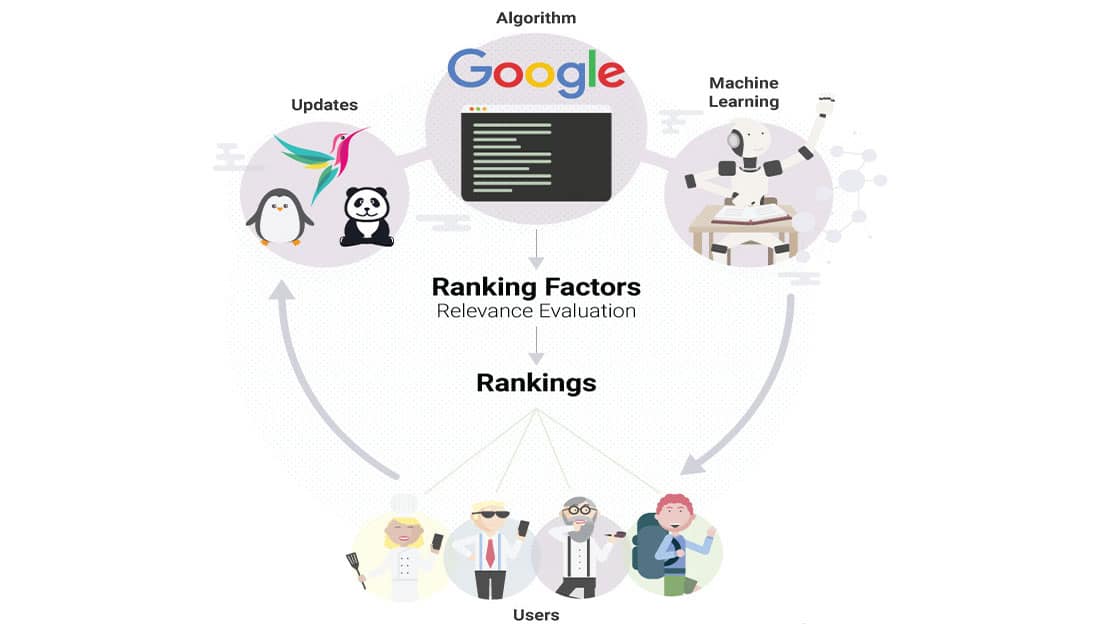
- website speed
- website content and blog section
- Website title tags
- Website meta descriptions
- Links from other sites to yours
- Internal links
- Website multimedia
- Domain history
- Page structure with heading tags
- Page URL
- Country extenstion
- Image alt tags
- LSI KEYWORDS
- mobile layout of the website
- Broken links
- Domain Authority
- and, as legend has it, another 200 factors that Google’s algorithm looks at, which you can find with a simple Google search!
As you can see, there are a great many factors involved in getting a website to the top of Google, and nobody knows them all except Google’s own people (and, to be precise, not all of them either, since each part of the algorithm is built by a different team).
Why Rankings Differ: Personalisation, Mobile vs Desktop, Geo-targeting
The same search can show different results from one case to the next. Here are the 5 main factors:
| Factor | How It Affects Rankings | How to Allow for It |
|---|---|---|
| Geo-location | Results differ by city/country | Check in incognito + VPN, or in GSC with the Country filter |
| Mobile vs Desktop | Different positions, mobile-first indexing | Check in GSC with the Device filter (Mobile/Desktop/Tablet) |
| Search History (Personalisation) | Previous clicks affect positions | Always use incognito mode + signed out |
| SERP Features (AI Overviews, Featured Snippets, Maps Pack) | They push organic results further down | Aim for a featured snippet/AI Overview citation |
| Algorithm Updates | Core updates can change rankings drastically | Keep an eye on the Google Search Status Dashboard |
These are the main factors in what Google chooses to show us. For example, one person searching for website development may see WebMate in first place, while another sees it in 7th place. Greek is also a special case: the keyword website development Katerini typed in Greek can give different results from the same phrase in capital letters, and from kataskeui istoselidon katerini typed in Greeklish (Greek written in Latin letters).
The simplest way to see your site’s position
If you use one of the methods below, you will see Google’s results without some of the criteria above.
- If you use Mozilla Firefox, use the shortcut Ctrl + Shift + P
- If you use Google Chrome, use the shortcut Ctrl + Shift + N
- If you use Microsoft Edge, use the shortcut Ctrl + Shift + N
This puts you in private mode, with your cache and history out of the picture, so you can see your website’s real position. In a quick look, we have seen the simplest way to check the ranking of your site or e-shop.
But how do search engines work?
Before we talk about anything else, it is important to understand how search engines work, and who better to explain it than Matt Cutts, the best-known former Google engineer
Improving your Google ranking
In an earlier article we looked at how to get to first place on Google and the basics you need to do to get there.
What we need to understand before anything else is that a single page cannot rank high on Google for 10 different keywords. In other words, the same page cannot rank first for the keywords website promotion, website development and e-shop creation. That can only happen when there is next to no competition for our keywords.
The right method is to optimise our home page for the most competitive keyword, and then optimise different pages of our site for the rest. For example, see how our page was optimised for the term website promotion, while this post is optimised for “website ranking on Google“.
How do I get my site into first place?
This question is almost utopian, and it should not be your main goal. Your main goal should be to bring traffic to the page you want on your site, by any means possible. You can do that through Meta ads on Facebook and Instagram, through content marketing, through Google Ads and so on.
That way, if your website is built properly and has good content, Google will follow on its own and reward the effort.
Think about it: you are reading this article, which you reached from a social media post, you find it interesting, and then you explore the site and other articles. Google picks up on this, and once it sees that your page is useful, it will rank you higher to help its users.
What Google wants is to help its users find the best possible information through its search engine.
We have covered how it works and how you can do website promotion, and what it costs, in an earlier article.
7 Common Reasons Your Website’s Ranking Drops
- Google Algorithm Update: Core Update, Helpful Content Update, Spam Update. Check the Google Search Status Dashboard for recent changes.
- Stale Content: You have not updated the content for 12+ months. Fix: refresh statistics, dates and screenshots.
- Backlinks Disavow / Lost Links: You have lost important backlinks. Fix: check in Ahrefs/GSC, link reclamation.
- Technical Issues: Slow Core Web Vitals, broken pages, mobile usability errors. Fix: the GSC Core Web Vitals report, a Lighthouse audit.
- New Competitors: New content with better SEO. Fix: a competitive content gap analysis.
- Search Intent Shift: Google changes how it matches intent for the keyword. Fix: look at the top 10 again and adapt your content type.
- Manual Action / Penalty: A breach of Google’s guidelines. Fix: the GSC Manual Actions report, fix the issues, request a review.
SEO tools for a website or e-shop
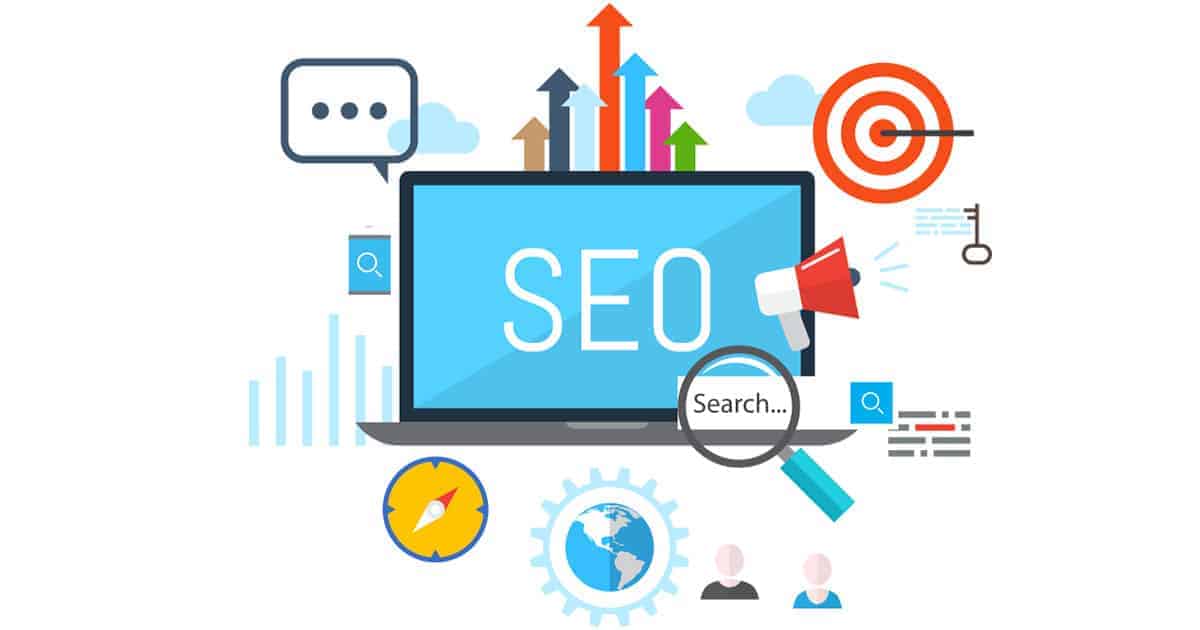
As you can see above, we write SEO, short for search engine optimization, a term you will often come across instead of “website promotion”.
Some free website promotion tools you can use are:
We will keep the section on website promotion tools short in this article. We believe these 3 alone can work wonders for promoting your website.
If you also want some paid keyword tools, we wholeheartedly recommend the following:
- Ahrefs
- Semrush
- SE Ranking
Bear in mind that buying or using these tools does not mean you will reach first place on Google; you also need to know what you are looking for with them. Each tool’s blog has interesting articles on what you can do with it.
Can every website be promoted on Google?
The simple answer would be yes, every site can be promoted.
A more accurate answer would be that yes, SEO services can be offered for every website, but the cost of SEO varies depending on how the website was built in the first place.
So there are websites that were built properly from the start with a CMS such as WordPress, where it is easier to deliver SEO services, so the cost is lower.
But even WordPress websites, or sites of any other type, can be so badly built that rebuilding the website is needed, because fixing it would cost too much to be worthwhile.
We also need to add the visual side to this. A website that is thrown together, with poor multimedia, will put off a potential customer straight away and may give them the wrong impression of your business.
On the other hand, a website with too many images and too much multimedia will probably be slow and will also tire its visitors.
The secret is balance when building a website, because very flashy websites may fail to achieve their purpose (they may be unfriendly to search engines, and also hard for older people to use).
How often does a website’s position on Google change?
The answer to this question can be every day, if the terms are competitive.
So we can see that SEO is an ongoing process that you keep working on over time.
You need to keep working on it and adapting to changes in Google’s algorithms.
What you can do is regularly check your website’s position on Google, as well as what your competitors are doing.
AI Search Tracking: How to See Whether ChatGPT, Perplexity & Gemini Mention You
Today, “ranking” is no longer limited to Google. More than 80% of AI search engine use goes to ChatGPT (OneLittleWeb), and 60-80% of the URLs ChatGPT cites are not on Google’s first page (Ahrefs). This means you can be visible in AI without being top-ranked on Google, or the other way round.
3 Ways to Check Your AI Visibility
- Manual Testing: Type queries such as “Best [your service] company in [your city]” or “[your brand] reviews” into ChatGPT, Perplexity, Claude and Gemini. Note whether you are mentioned.
- AIclicks: Tracks mentions in ChatGPT, Perplexity and Gemini, with weekly reports and competitor benchmarking. From €39/month.
- Otterly.ai / Profound: Specialised AI search visibility platforms with prompt tracking and citation analysis.
GEO best practices to get AI to mention you:
- Answer-first content (an answer in 1-2 sentences at the start)
- Structured content (tables, lists, FAQs)
- A presence on Reddit (ChatGPT’s #2 source after Wikipedia)
- Specific statistics with sources
- Schema markup (FAQ, HowTo, Article)
WebMate offers Generative Engine Optimization (GEO) for businesses that want visibility in AI engines. See our SEO & GEO services.
In conclusion: your website’s position
SEO is a big part of a website’s overall digital marketing. It takes many articles and has a great many parts to analyse. We will keep publishing articles on SEO, including how you can do it yourself.
If you would like to work with us on your website’s SEO, tell us what you want to achieve and we will send you a proposal. Just use our contact form.
Frequently Asked Questions
How do I check my website’s ranking for free?
The most reliable free way is Google Search Console (search.google.com/search-console), which shows official Google data for every keyword. Alternatives: the Ubersuggest free tier, a manual Google search in incognito mode, or a site:yourdomain.gr query to check indexing
How often do Google rankings change?
Rankings can change daily because of personalisation and location, weekly because competitors update their content, and dramatically during Google core updates (3-4 times a year). GSC shows an average position, which smooths out the fluctuations.
Why do I see a different position from my friend for the same search?
Google personalises results based on location, device, search history, language settings and Google account preferences. For an objective test: incognito mode + signed out + cleared cookies.
What is Google Search Console and is it free?
Google Search Console is Google’s official free tool. It shows the queries that bring you traffic, average position, clicks, impressions, CTR, technical issues and mobile usability. It is 100% free and every website should have it.
How do I check whether ChatGPT mentions my brand?
Manually try questions such as “Best [service] company in [city]” in ChatGPT, Perplexity, Gemini and Claude. For systematic monitoring, use AIclicks (from €39/month) or Otterly.ai, which track AI mentions with weekly reports.
My Google ranking suddenly dropped. What should I do?
Check, in this order: (1) the Google Search Status Dashboard for algorithm updates, (2) GSC Manual Actions for penalties, (3) Core Web Vitals and mobile issues in GSC, (4) your backlink profile for lost or toxic links, (5) competitor content for new top results. Recovery after fixes often takes 2-4 weeks.



Leave a comment