


Every day you see the word “sponsored” above ads on facebook and instagram. What does it mean, and how do you make social media advertising effective? How can you grow your website or eshop ? How do I advertise on Facebook and Instagram the right way?
How to create effective Facebook/Instagram ads
Create or log in to Meta Business Suite

To advertise properly on the social network you need a Meta Business Suite account, so go to https://Business.facebook.com and, if you don’t have one, create a new one by clicking the create button
Set your goal
Once you are in Meta Business Suite, the first step is to ask yourself what ad you want to create. What is your goal? Sales or awareness? By defining your goal clearly, you can create the right message and creative to attract potential customers.
Define your potential customer persona
Before you create or design any ad, think about who your ad is for. Who is your potential customer? What are their characteristics? Age, gender, interests? Based on your goal and persona, you are ready to create the creative and the copy for your ads.
Go to Ads Manager

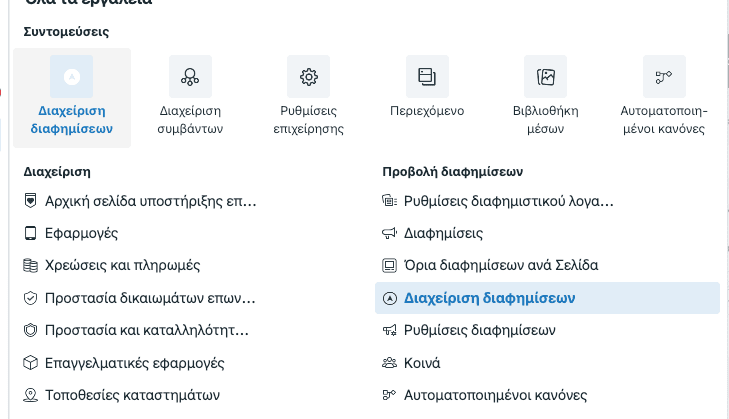
To create any ad, we start by going into Ads Manager. There we can choose and create the type of campaign we want, adapting our strategy to achieve our goals.
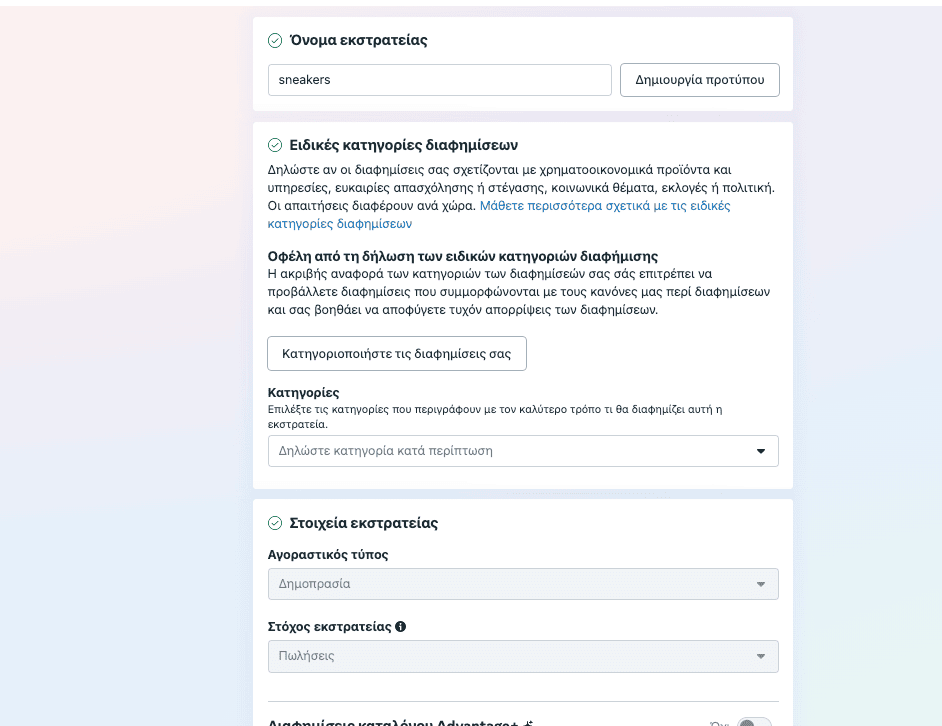
Create a Facebook campaign

Click create campaign and set the campaign type according to what we planned earlier. Here we can also set the campaign budget
Define the ad set

In this step we enter the characteristics, such as age, gender etc., and set who is paying for the ads.
Create the ad

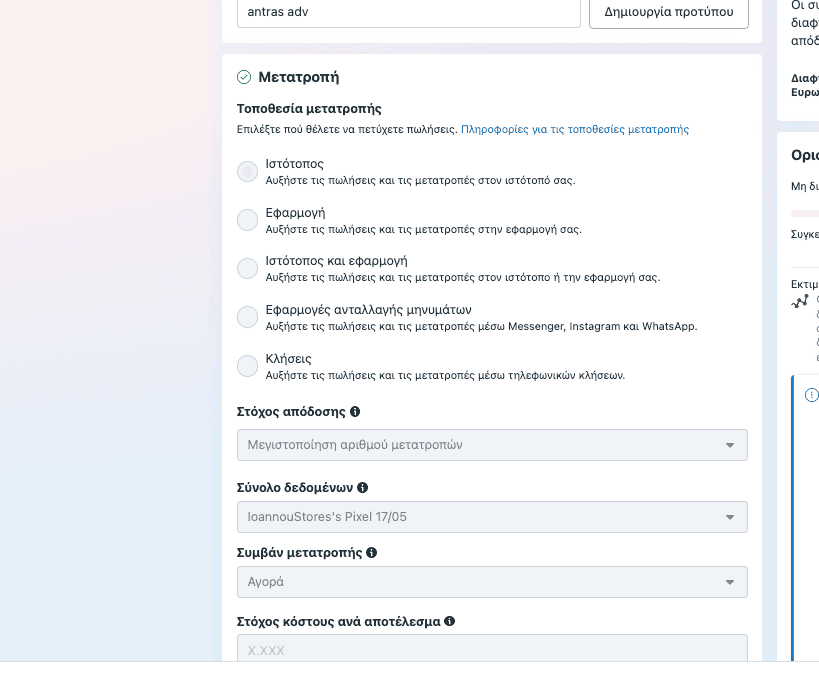
Add the ad creative, its text, the ad type, the headlines and everything else to do with the creative side of the ad. Note: this is also where we set the pixel that will track our ad. Once you have finished everything, just click the publish button. If all went well, your ad is ready!
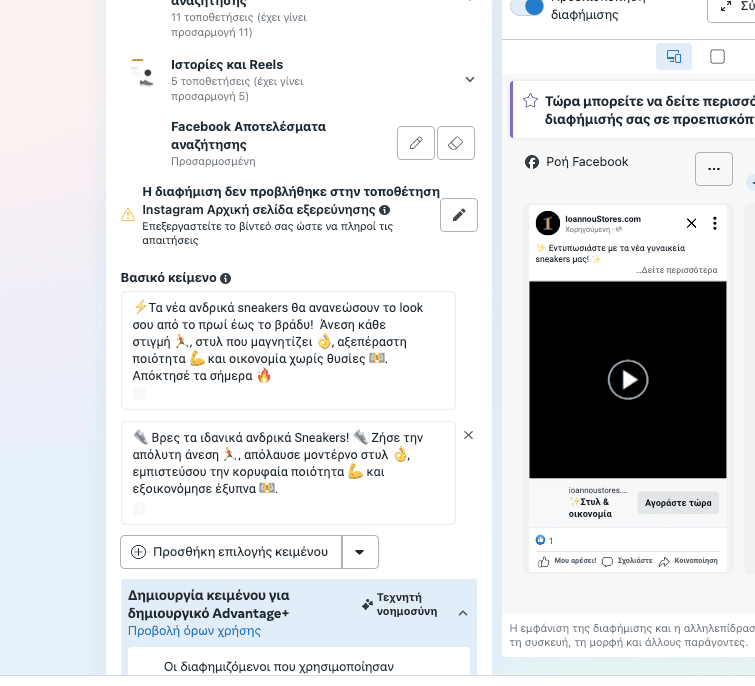
Now that we have gone through the steps to create one, let’s look at some very useful information that will keep you out of trouble on your advertising journey.
How things used to work
In the past, whatever a facebook page posted appeared in the user’s news feed, and everything was in chronological order. For example, if I posted something at 15:00 and another page posted at 16:00, the other page’s post would appear first and then mine.

This is no longer the case, as facebook and instagram have upgraded their algorithms. They now look at what interests each user most and which pages and people they interact with most.
By interaction we mean a like or a comment on a page’s or a user’s post. So a page may have 30,000 followers, yet only 100 people see its posts organically (that is, without paying).
There are 2 ways to get round this problem, or rather 1 plus 1 that helps.
Create great content on social media
So that only 100 people don’t end up seeing our posts when we have lots of followers, we need to create quality content, just as we do when promoting our website.
If we only post products and offers, users will get bored and stop interacting with us. We need to cover a wide range of topics in our content to catch users’ interest.
The graphics, texts and videos we create also need to be high quality, so that they catch people’s interest.
It is important to post 2 to 3 times a week on Facebook, or 2 to 3 times a day for instagram stories. The time of day we post also plays an important part, depending on the industry our page is about.
Reels, and vertical video in general, are especially popular these days. Make sure the content of your reels is educational, funny or inspirational. That way your reach and your advertising are sure to succeed.
Reels: the best content format for social media
Reels have emerged as the best content format on social media for several reasons. First, their short, dynamic format is ideal for holding people’s attention in a world where attention spans are short. Vertical videos let creators present creative, imaginative content in just a few seconds, making messages more direct and memorable.
Reels also boost engagement, as platforms such as Instagram, TikTok, YouTube and Facebook push this kind of content through their algorithms, increasing views and reach. This extra visibility can bring more followers and viewers, since reels are often shown to users who do not yet follow the creator, giving you the chance to be discovered and grow your audience.
By doing a few basic things like the ones above, we will see our organic results grow a great deal.
Meta ads tips
Sponsored advertising on Instagram and Facebook
All of the above should be done whether or not we run sponsored posts or ads. Even if we run paid advertising, what could be better than also having free viewers on our posts?
Be careful when boosting posts on Facebook & Instagram from an iPhone
Advertise on social media with a targeted audience
The first thing anyone has to do for any ad to succeed is define their audience. The easiest thing you can do is create a persona of the customer who usually buys from your shop. Is it a man or a woman? What are their interests? Are there any geographical criteria or limits?
Once you have created the persona, it will be much easier to make the graphic and the text for a successful ad. That way the users you care about will be interested, and as well as engagement you will get the results you want.
Ads on Facebook and Instagram are now run through Meta Ads Manager, which gives you lots of options as well as plenty of charts that can help you optimise your advertising.

Meta Ads Manager, together with the Meta Pixel, which can be installed on your site very easily, will give you excellent results. Once the pixel is installed, you can target even more specific audiences, such as people who have visited your site or added something to their basket, if you run an e-shop .
Since the personal data rules came in, Meta also offers another connection to your site or e-shop, and that is the Meta Conversions API.
What is the Meta Conversions API
Meta’s Conversions API (formerly the Facebook Conversions API) is designed to create a connection between an advertiser’s marketing data (such as website events, app events and offline conversions) from the advertiser’s server, website platform, mobile app or CRM and Meta’s systems, which optimise ad targeting, lower the cost per result and measure results.
Instead of keeping separate connection points for each data source, advertisers can use the Conversions API to send many types of events and simplify their technology stack. With direct integrations, this means setting up a connection between an advertiser’s server and Meta’s Conversions API endpoint.
Server events are linked to a dataset ID and processed just like events sent through the Meta Pixel, the Facebook SDK for iOS or Android, a mobile measurement partner’s SDK, an offline event set or a .csv upload.
Lose money with sponsored posts without targeting
Running a sponsored post without targeting is like throwing your money away. For example, there is no point in a post by a parliamentary candidate standing in the Pieria constituency being shown in other regions. It is simply a waste of money/budget that could go somewhere else.
In earlier articles we have written about what it takes to run successful Facebook ads , and more or less the same rules apply to Instagram. What differs quite a lot is that on Instagram you need to pay more attention to the photo or video, and especially to the message it wants to get across, because users focus mainly on the visuals and hardly at all on the caption.
Remarketing
A big part of social media advertising is made up of remarketing or retargeting ads .
To understand simply what these ads are, think of when you visit a site and that site then follows you around with its ads.
It has been shown that, done properly, this approach increases e-shop sales by 40%!
You can find out more in our article dedicated to remarketing
In recent years, and especially since 2021-22, for better or worse, there have been restrictions on remarketing and on Meta advertising and google ads in general; find out more here
Watch a remarketing strategy that can help you here
And see some secrets of Meta Advantage+ campaigns for better results.
Choose a professional for your social media advertising
If you were running an ad on radio or TV, would you make the spot yourself?
Once you have answered, you will know that the best thing is to go to a professional for your social media advertising. Although the initial cost may seem high, you should also consider the final profit for your business.
If you want successful, well-run ads online, talk to web-mate by clicking the button below!
What are Advantage+ ads on Facebook and Instagram
In one of our articles we wrote in detail about Meta’s Advantage+ ads on Facebook & Instagram and what they are. Essentially, they are ads that appeared at the end of 2022 and are designed to work with the help of AI
The future of advertising on Facebook and Google
With Advantage+ ads you don’t need to find the right audience, as artificial intelligence will do it for you and find the best audience. It is something like Performance Max ads on google ads. The only problem is that, since we are talking about artificial intelligence, a lot of data is needed, which is why the ads, especially at the start, need to begin with a very large budget. Later, once the right audience has been found and the algorithm has been trained, we can reduce the amount we spend if we want to.
These ads are probably the future of advertising, since after the restrictions on personal data, google and facebook turned to this type of advertising.
The ONLY way to make your ads take off
Watch the video below to see how to make your ads take off. The tool doesn’t matter; the way you think does!
More articles on Meta advertising
How to Print Your Facebook, Instagram and Meta Ads Invoices

Meta Ads: 2 hidden secrets for Advantage+ Campaigns

How Facebook Google measure the sales of your eshop.

Google Authenticator & Facebook 2FA: Guide




Leave a comment