


Google Gemini is Google’s multimodal AI assistant that understands text, images,
video, audio and code at the same time. It launched in December 2023 (originally as ‘Bard’) and replaced all of Google’s older AI assistants. As of June 2026, the Gemini 3 family, with Gemini 3.1 Pro, Gemini 3.5 Flash and Gemini 3.1 Flash Lite, is Google’s newest generation, with a 2-million-token context window and the pioneering Deep Think mode for complex problems.
Accuracy note (July 2026): model versions change every few weeks. At the time of the last update, the available models are Gemini 3.1 Pro and Gemini 3.5 Flash, while the release of Gemini 3.5 Pro has been postponed. The comparative benchmarks that companies publish concern their own models and are not independent measurements. Always check current availability and pricing on Google’s own page.
Gemini is built into all Google products: Search (AI Overviews, which appear in 18% of searches), Workspace (Gmail, Docs, Sheets), Android (on-device Gemini Nano), Vertex AI (for developers) and the standalone gemini.google.com. According to Statcounter data (2026), Gemini has roughly ~10-15% of the global AI assistant market, second only to ChatGPT (~80%), yet it is growing fast among businesses thanks to its Google Workspace integration.
In this detailed guide you will learn: what Gemini is and how it works, its 5 main versions (Nano, Flash, Pro, Ultra, 2.5), a detailed comparison with ChatGPT and Claude, real business uses (marketing, SEO, customer service), how to get started for free, integration with Google Workspace, and how Gemini is changing the SEO/GEO landscape.
From Bard to Gemini: a short history
Here is a detailed timeline:
| Year | Milestone | Significance |
|---|---|---|
| March 2023 | Google Bard launches | Response to ChatGPT (Feb 2023) |
| December 2023 | Gemini 1.0 (3 versions: Nano, Pro, Ultra) | Google’s first multimodal AI |
| February 2024 | Bard → Gemini rebrand | All AI products unified |
| May 2024 | Gemini 1.5 Pro with 1M-token context | Game-changing context window |
| December 2024 | Gemini 2.0 + Deep Research | Multi-step agentic capabilities |
| March 2025 | Gemini 2.5 (most capable) | Outperforms GPT-4o in benchmarks |
| 2026 | Gemini 3.5 Pro with 2M-token context | Industry leader in long context |
Gemini 3 introduced Deep Think mode, a new Pro-tier feature that lets the model think more deeply about complex problems. It is switched on with a toggle and is ideal for maths, coding, research and multi-step reasoning. In benchmarks published by Google itself, Gemini 3.1 Pro with Deep Think comes out stronger on complex reasoning tasks. These are the manufacturer’s own measurements, so weigh them accordingly.
Gemini is a rebrand and unification of several Google AI projects (Bard, LaMDA, PaLM 2, Duet AI). Today ALL of Google’s AI products run on Gemini models.
Gemini versions: a detailed comparison
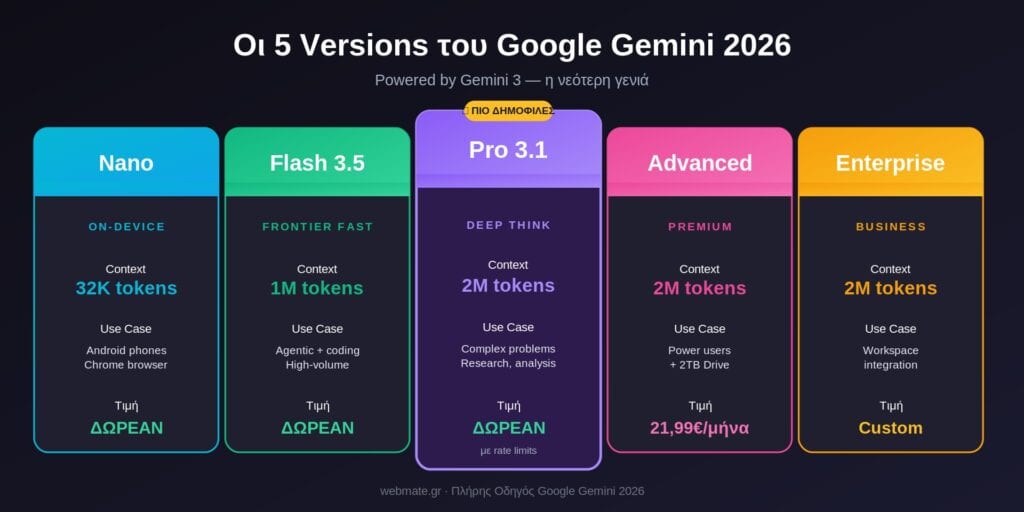
Gemini comes in 5 versions, depending on what you need it for:
| Version | Use Case | Context Window | Price |
|---|---|---|---|
| Gemini Nano | On-device (Android phones, Chrome) | 32K tokens | Free (built-in) |
| Gemini 3.5 Flash | Frontier performance, agentic + coding | 1M tokens | Free / low-cost API |
| Gemini 3.1 Pro | Deep Think mode, complex reasoning | 2M tokens | Free / $1.25 per 1M tokens |
| Google AI Pro (formerly Gemini Advanced) | Premium consumer, full feature access | 2M tokens | €21.99/month |
| Gemini Enterprise | Business + Workspace integration | 2M tokens | Custom pricing |
When to use which
- Everyday use (free): Gemini Flash 3.5: fast, good enough for simpler tasks
- Serious work / research: Gemini Pro 3.5: best reasoning + context
- Power users / professionals: Google AI Pro, formerly Gemini Advanced (€21.99/month): full feature access
- Businesses: Gemini Enterprise via Google Workspace: integration with Gmail, Docs, Drive
- Developers: Vertex AI / Gemini API — programmatic access
How Google Gemini works
Gemini is a ‘multimodal’ AI, which means it can understand and produce different types of content at the same time. Here are its 5 main capabilities:
1. Text Understanding & Generation
Like every LLM, Gemini produces conversational answers, writes emails/copy, summarises documents and answers questions in natural language. It supports 100+ languages, including excellent Greek.
2. Image Analysis & Generation
Give Gemini a photo and it describes what it sees, extracts text (OCR), recognises objects or answers questions about it. It also creates new images through Imagen 3 (integrated).
3. Video & Audio Understanding
Upload a video and Gemini understands what is happening, extracts transcripts and summarises the content. Audio is analysed for transcription as well as context (tone, emotion).
4. Code Generation & Debugging
It writes code in 30+ languages (Python, JS, PHP, Java and more), debugs existing code, explains complex code blocks and refactors code. It integrates with Google Colab for instant execution.
5. Long Context (2M tokens) — Game Changer
Gemini 3.1 Pro has a 2-million-token context window, which means you can upload a whole book (~600 pages), hours of video transcripts or a 1,000+ page PDF and ask questions about it. No other AI reaches this context.
Business uses of Gemini
At Webmate we see Greek businesses building Gemini into their processes every day. Here are 8 practical uses with a real return on investment:
1. Email Drafting & Customer Service
Gemini in Gmail automatically suggests draft replies to customer emails. It saves small businesses 2-4 hours a week. Customer service teams use Gemini-powered chatbots through Dialogflow CX.
2. Content Marketing & SEO
Quickly create blog post outlines, meta descriptions and social media captions. Human review is always needed: Gemini can ‘hallucinate’ (make false claims), and Google penalises thin AI content.
3. Document Summarization
Upload a PDF (contracts, reports, books) and Gemini explains the main points in 30 seconds. A game-changer for legal, accounting and consulting professionals.
4. Data Analysis (Sheets Integration)
In Google Sheets, Gemini analyses data, finds patterns and suggests formulas. You don’t need to know Excel formulas: you type ‘find outliers in column B’ and it does it automatically.
5. Market Research
Gemini Deep Research carries out multi-step research on a topic: you state what you want, it searches 50-100 sources and creates a structured report. It takes 10-15 minutes and saves 5+ hours.
6. Image generation for marketing
Imagen 3 (through Gemini) creates professional images for campaigns, social posts and blog hero images. It is free with a Gemini account, so you don’t need a designer for basic visuals.
7. Translation & Localization
Excellent for Greek → English translation (and the reverse); old-style machine translation is outdated by comparison. Many businesses use it to localise websites and marketing copy.
8. Coding & Automation
Developers use Gemini through the Cursor IDE or Google’s IDX for AI-powered coding. Non-developers use it for Google Apps Script automation (Sheets, Gmail, Calendar).
Gemini vs ChatGPT vs Claude
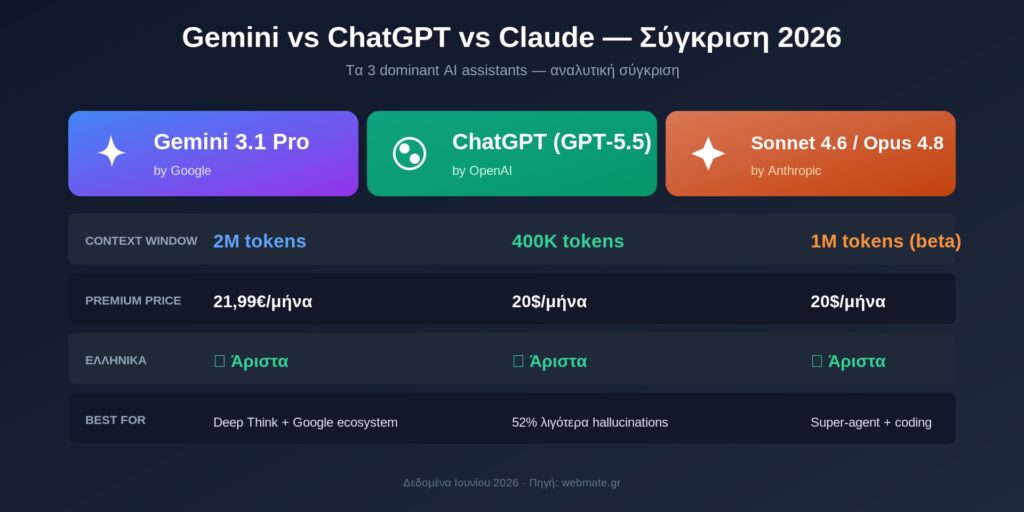
| Criterion | Gemini 3.1 Pro | ChatGPT (GPT-5.5) | Claude Sonnet 4.6 / Opus 4.8 |
|---|---|---|---|
| Context Window | 2M tokens | 400K tokens | 1M tokens (Sonnet beta) |
| Release Date | 2026 (active) | April 2026 | Sonnet: May 2026 / Opus: May 2026 |
| Multimodal | ✓ Full (text/image/video/audio) | ✓ Full | ✓ Text/image/PDF |
| Free plan | ✓ Very generous | ✓ Limited (GPT-5.5 Instant) | ✓ Limited |
| Premium Plan | €21.99/month | $20/month | $20/month |
| Special Feature | Deep Think mode | fewer hallucinations than previous versions (OpenAI’s figures) | Super-agent benchmark winner |
| Web Access | ✓ Native (Google Search) | ✓ Native | ✓ Native |
| Code Generation | Excellent | Excellent | Top tier (especially Opus 4.8) |
| Greek Language | ✓ Excellent | ✓ Excellent | ✓ Excellent |
| Workspace Integration | ✓ Native Google Workspace | ❌ Not direct | ❌ Not direct |
| API Pricing (Input) | ~1,25$/1M tokens | ~5$/1M tokens | Sonnet 3$ / Opus 15$ per 1M |
| Best For | Long docs, Deep Think research, Google ecosystem | Mass adoption, fewer hallucinations, plugins | Complex coding, agentic tasks, super-agent |
Webmate recommendation (June 2026): For Greek businesses: Gemini 3.1 Pro is ideal if you use Google Workspace and want Deep Think for research. ChatGPT GPT-5.5 is a top choice if you need accuracy (according to OpenAI’s figures) and a plugin ecosystem. Claude Sonnet 4.6 / Opus 4.8 is unbeatable for coding and agentic workflows. Our advice: have an account with all 3, using different AI for different tasks.
Gemini & SEO: how the game is changing for marketers
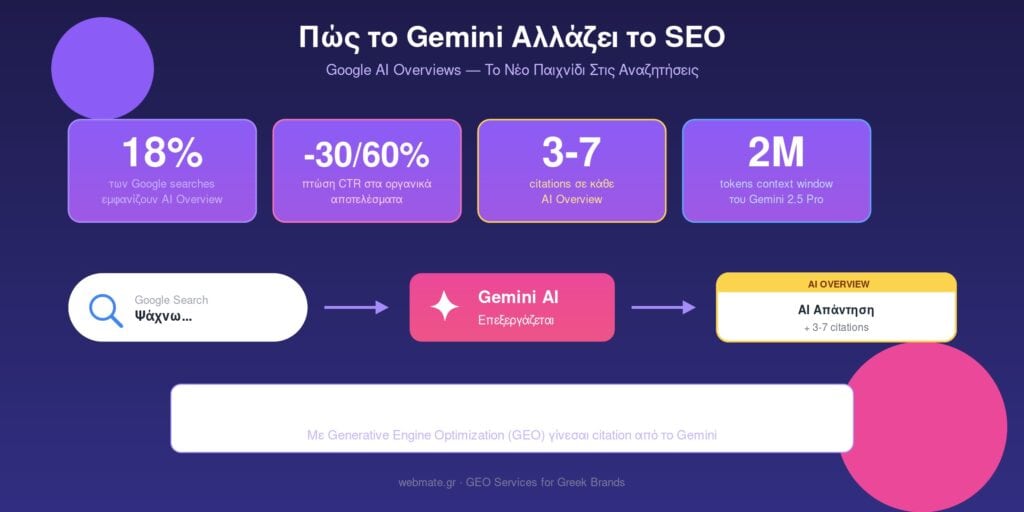
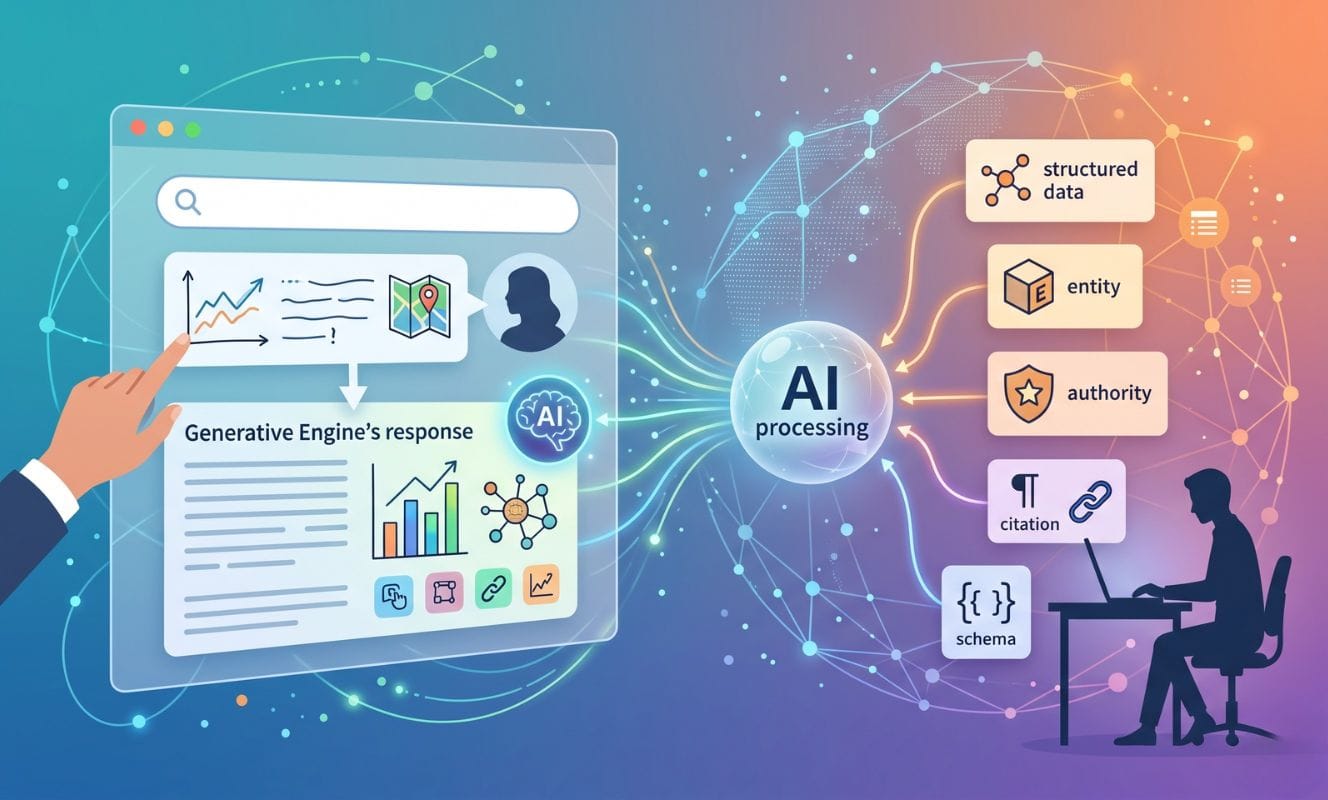
Gemini is a consumer AI, and it is ALSO the engine behind Google’s AI Overviews. In other words, when Google shows an AI answer at the top of the results, Gemini produces it. This has 3 serious consequences:
1. AI Overviews in 18% of searches
According to Search Engine Land (2025), 18% of Google searches show an AI Overview at the top. For commercial keywords the figure reaches 30-40%. Drop in organic CTR: 30-60% where they appear (Bain study).
2. Citations: the new ‘ranking’
Gemini cites 3-7 sources in every AI Overview. If your brand appears as a citation, you get brand awareness even without a click. If you don’t appear, you lose out.
3. Generative Engine Optimization (GEO)
Traditional SEO aims for rankings. GEO aims for citations from AI engines (including Gemini). It is a parallel channel with its own rules.
Webmate specialises in GEO. Read the complete GEO guide → or see our Webmate GEO services →.
How to get started with Gemini, step by step
Here are 6 steps to start using Gemini today:
- Go to gemini.google.com and log in with your Google account
- Choose a model: Gemini Flash (default) or upgrade to Pro (free option)
- Start with simple prompts, e.g. ‘Write a meta description for an article about WordPress hosting in Greek’
- Try multimodal: upload an image or PDF and ask questions
- Explore Gemini Extensions: connect to Gmail, Drive, Maps, YouTube
- For advanced use: subscribe to Google AI Pro, formerly Gemini Advanced (€21.99/month), for access to the Pro models
Pro tips for better results
- Give context: ‘I own a Greek e-shop. Write an email…’ works far better than a bare ‘write an email’
- Give a format: ‘In bullet points’, ‘in a table’, ‘in 200 words’
- Give a tone: ‘professional’, ‘friendly’, ‘persuasive’
- Iterate: the first response is a draft. Improve it with follow-up prompts
- Always verify: Gemini can make mistakes with facts, dates and statistics
What Gemini CAN’T do (limitations)
Despite its capabilities, Gemini has significant limitations:
1. Hallucinations (false information)
All LLMs can ‘invent’ facts, dates or citations. Gemini is among the best for factual accuracy, but always verify critical information (legal, medical, financial).
2. Stale Training Data
The knowledge cutoff of Gemini 3.5 is around September 2024. For post-2024 events it uses real-time web search, though it can make mistakes on new topics.
3. Bias & Sensitive Topics
Gemini refuses to answer on political topics, medical advice or controversial subjects. It is often over-cautious and may refuse simple questions.
4. Greek Language Quality (Variable)
Excellent for casual conversation, though in specialist domains (legal, medical, scientific Greek) it often gets terminology wrong. Always have Greek output proofread by a native speaker.
5. Privacy Concerns
All prompts in Gemini are stored by Google. Don’t upload confidential business data, customer information or sensitive content without proper redaction.
What comes next: Gemini 4 & beyond
According to Google’s public announcements (Q2 2026), Gemini continues to develop rapidly:
- Gemini 4 (expected H2 2026 / 2027): the next generation, with new multimodal capabilities and embodied AI for robotics
- Gemini Live evolution: real-time voice conversation is starting to go mainstream
- Project Astra (GA in 2026): a general-purpose AI agent that controls a computer/phone on its own
- Deep Think v2: improved reasoning for even more complex problems
- Deeper Workspace integration: Auto-meeting notes, smart scheduling, AI presentations
What it means in practice for businesses:
With Gemini 3 already here, AI has become ‘invisible’ in Google products. Next, we expect even deeper integration: AI will suggest actions, automate tasks and analyse data continuously, without you having to open an app.
Is Gemini free?
A: Yes, Gemini has a generous free plan. With a free Google account you get access to Gemini Flash 3.5 (the fast model) with unlimited queries. Gemini Pro 3.5 (the more advanced model) is also free, with rate limits. For unlimited Pro access + priority + 2TB of Drive storage, Google AI Pro (formerly Gemini Advanced) costs €21.99/month.
Which languages does Gemini work in?
Gemini supports 100+ languages, including excellent Greek. It is one of the best AIs for Greek text: it writes naturally, understands dialects and translates accurately. In other languages (Mandarin, Spanish, French, German, Japanese) it is top-tier. In rare languages the quality may be lower.
Gemini or ChatGPT: which is better?
It depends on the use case. Gemini 3.1 Pro: best for long documents (2M context), Deep Think mode for research, Google Workspace integration. ChatGPT (GPT-5.5): fewer hallucinations than its previous versions (according to OpenAI’s own figures), a mainstream ecosystem with plugins/GPTs. Claude Sonnet 4.6 / Opus 4.8: best for coding and super-agent benchmarks. We recommend having an account with all 3. With Gemini 3, the Workspace integration is even stronger, with Deep Think mode available in Docs/Sheets for complex analytical tasks.
Is it safe to use Gemini for business data?
For casual queries, yes. For sensitive business data (customer information, financial reports, legal documents), not directly, as Google stores prompts. For enterprise use, use Gemini Enterprise through Google Workspace or Vertex AI, which come with data privacy guarantees. Never put customer credit cards, medical records or proprietary code into standard Gemini.
How is Gemini integrated into Google Workspace?
Gemini is built into Gmail (smart compose), Docs (AI writing assistant), Sheets (data analysis + formulas), Slides (presentation generation), Meet (note-taking) and Drive (intelligent search). For businesses, the Gemini Business plan (an add-on to Workspace) costs ~€20/user/month and switches on all the AI features in every app. With Gemini 3, the Workspace integration is even stronger, with Deep Think mode available in Docs/Sheets for complex analytical tasks.
Can Gemini replace ChatGPT in marketing?
Largely, yes. For content brainstorming, drafts, SEO research, social copy and image generation, Gemini is as good or even better. Advantages: excellent Greek, Google Search integration for real-time data, a generous free tier. For specific jobs (e.g. GPT-powered plugins, Code Interpreter for data analysis), ChatGPT has the edge.
Does Gemini affect my website’s SEO?
Indirectly, yes, through AI Overviews. When someone searches on Google and an AI Overview appears (produced by Gemini), the CTR of the organic results drops by 30-60%. To appear INSIDE the AI Overview as a source citation, you need GEO (Generative Engine Optimization).
Can Gemini connect to the internet?
Yes, natively. Unlike older LLMs, Gemini is directly integrated with Google Search for real-time information. When you ask about recent events, product prices or current news, Gemini searches the web automatically. This makes it more up to date than versions of ChatGPT without web access.
How do I create images with Gemini?
At gemini.google.com, write a prompt such as ‘Create an image: minimalist logo for a cosmetics shop’ and click generate. Gemini uses Imagen 3 for image generation. Free with a Gemini account, 4 images per prompt, high quality. For high-volume image generation, there is the Imagen API on Vertex AI with paid pricing.
What is Deep Think mode?
Deep Think mode is a new Gemini 3 Pro feature that lets the model spend more ‘thinking time’ on complex problems: maths, coding, multi-step reasoning, research. It is switched on with a toggle in the interface. It is ideal when you need depth of analysis more than speed.


Leave a comment