


Today’s business environment calls for a company presence online. A good-looking, easy-to-use website can build the reputation of a business, bring in new customers and even help run the business itself when it includes management applications. On the other hand, an unattractive website makes the business look careless and leaves the customer feeling unsure. A prospective customer then won’t get in touch, and existing customers will start to suspect the business is run carelessly too. A website that doesn’t work properly or loads slowly also makes navigation difficult, and visitors may leave before they even see an offer or a new announcement that would have caught their eye.
Example of a good-looking, functional website
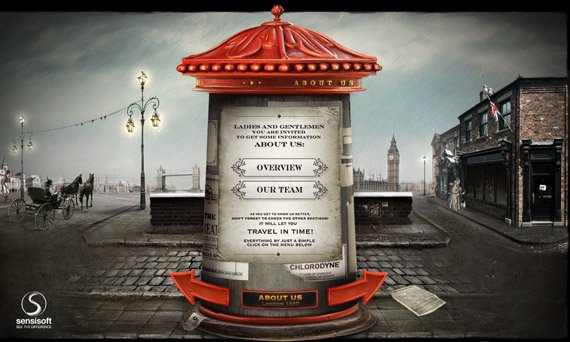
Example of a hard-to-use, unattractive website

So what should you ask for to get a website that is easy to use and looks good? Here are some guidelines:
1) You should be able to see it while it is being built
If you choose a company or a freelancer to build your website, any professional who takes their work seriously will suggest that you see the website while it is being built, either on a testing server or on a subdomain or folder of your domain name, e.g. web-mate.gr/newsite/. If this isn’t offered, insist on it, because this may be the first sign of an inexperienced web developer with no technical knowledge, or of a company that doesn’t meet the standard you need. Professional developers and companies also usually invite the client to comment on the look and the functionality, since the client has the final say, and anything they don’t like is easier to change while the website is still in development.
2) It should be built on modern technology
Flash no longer exists: Adobe ended support for it at the end of 2020 and no modern browser will run it. If someone still suggests outdated technology like this, it is a sign they have fallen behind. Anything eye-catching you need (animations, sliders, video) is done today with HTML5, CSS and JavaScript, which load quickly and work on phones and tablets.
3) It should be SEO optimised
This is about preparing your website so it can climb the search results later on, since no website reaches the top straight away. The website should use h1, h2, h3 and similar tags, be divided into header, section, article and footer areas, and of course its menus should be readable by search engines.
4) Optimised images
We used to combine a website’s small images into one (a sprite) to cut down the number of requests to the server. With HTTP/2 that matters much less, and what counts today is that images are compressed, saved in modern formats such as WebP or AVIF, served at the right size and loaded only when needed (lazy loading), with SVG for icons. That way your website loads faster and is easier to promote in search engines, as they take loading speed into account.
5) Responsive Design
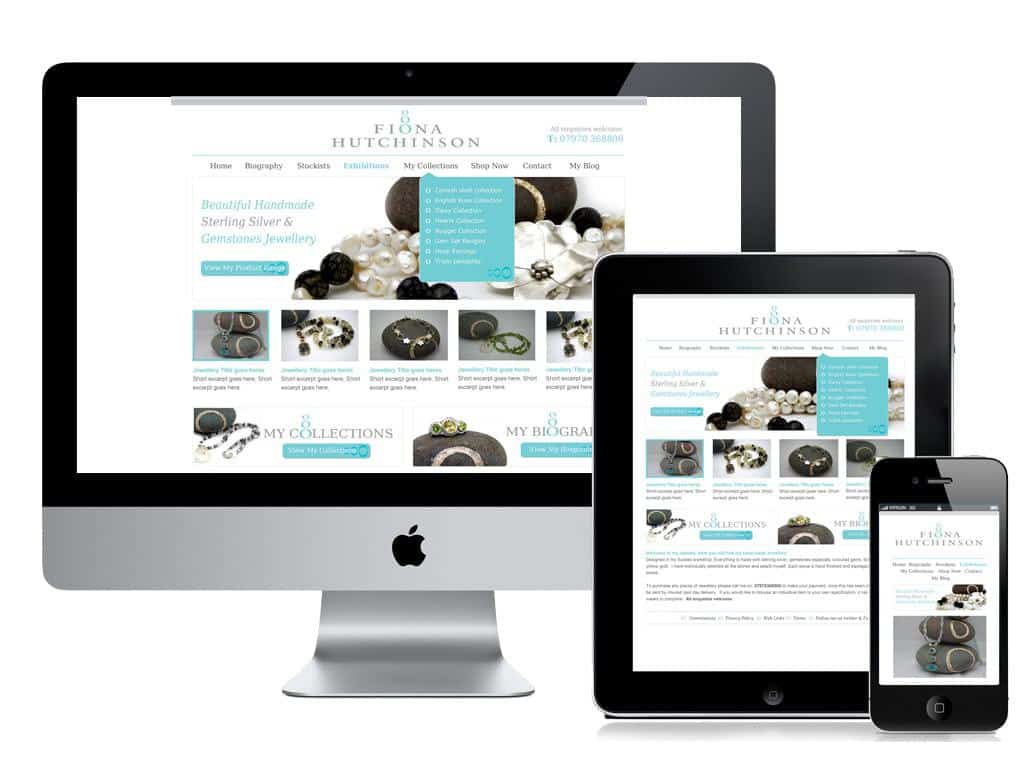
Tablets and smartphones are now part of everyday life. Many users (potential customers) may visit your website from one of these devices, so your website should be ready for them and make things easy for them. A serious web developer will have no trouble building a website with responsive design and may even see it as a challenge. An inexperienced one without the technical skills will turn the request down or won’t know what it means. Google recommends responsive design as the simplest option, because the same page adapts to every screen and you don’t need a separate mobile version.
Responsive design example
Finally, make sure you ask for the website to be registered in your name and for the server login details (an account for your website) to be handed over to you, so you don’t run into problems later. At WebMate we consider all of the above standard. For more tips, visit our blog often.




Leave a comment